What Tomoro is
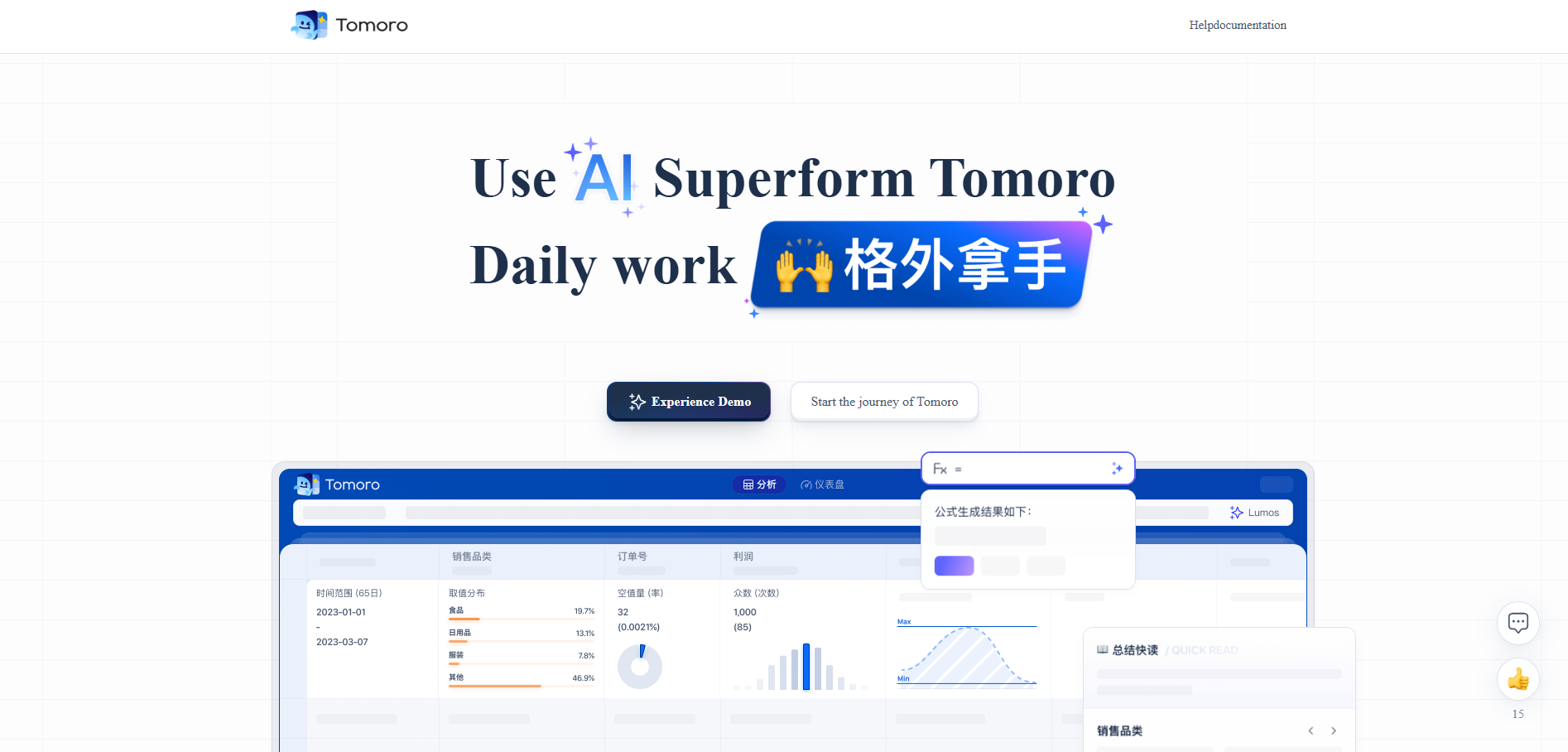
Tomoro was launched by Tencent Lighthouse AI native big data analysis tool , through the user-familiar spreadsheet interface, breaking the technical barriers of traditional data analysis tools, anyone can easily explore the value behind tens of billions of data. Tomoro supports seamless integration of multi-source data, can access business databases in real time, and can read table data in pictures. Tomoro has classic function upgrades, such as real-time preview of column features, one-click grouping and perspective, intelligent adaptation of functions and formulas, etc. The operating experience is consistent with Excel, and it supports hundreds of millions of data responses in seconds.

Tomoro’s main features
-
Seamless integration of multi-source data : Supports real-time access to a variety of business databases, such as MySQL and StarRocks. It can also read table data in pictures and data generated by Lumos AI, eliminating the need for cumbersome data downloading and format conversion, and achieving cross-source data integration analysis.
-
Classic function upgrade : Provides real-time preview of column features to quickly display core indicators of data; supports one-click grouping and perspective, and flexibly reorganizes data structures; adapts to commonly used Excel functions, and can define data column content without mastering professional query languages.
- One-click grouping : Click the column header to group by dimension, supporting multi-conditional aggregation calculation; generate a perspective table by dragging and dropping column fields, flexibly reorganize the data structure, and achieve cross-dimensional cross-analysis (such as order amount counting/de-duplication/summing of different product categories and amounts, etc.), the operating experience is consistent with Excel but supports hundreds of millions of data responses in seconds.
- Cross-perspective : Drag the specified column to the corresponding position, reorganize the data content in the form of rows and columns, better observe and understand the relationship between data, and improve analysis efficiency.
- Function Formula Intelligent Adaptation : No need to master professional query languages (SQL, Python, etc.), you can easily define the content of data columns using function formulas. Tomoro has been adapted to support commonly used functions in daily Excel, such as AND, SUM, IF, DATE, VLOOKUP, etc. In addition to continuing to add more commonly used Excel functions, it is close to everyone’s business analysis scenarios and adds Tomoro exclusive functions.
- Analysis and intelligent questioning : Generate data summaries, explore suggestions, recommend relevant analysis questions based on real-time data, and help users clarify the direction of analysis. AI automatically completes data filtering, grouping, sorting and other operations, returns visual results or analysis reports, and supports dynamic adjustment of algorithm parameters. It is also possible to perform data calculations without boundaries and construct rich charts based on the specific problems of the user.
- Smartgraph generation: Automatically match and draw the best chart types; generate analysis reports with one click, covering analysis ideas, visual charts and conclusion descriptions.
- Data security and efficient collaboration : Provide multi-level permission management to ensure that data dissemination has boundaries; users can safely share data tables, charts and analysis reports with team members through sharing page links to meet different levels of permission management needs.
How to use Tomoro
- Visit Official Website : Visit Tomoro official website https://beacon.qq.com/tomoro/, register and log in to your account.
-
Data access : Select a data source, Tomoro supports a variety of data access methods, including local file uploads, database connections (such as MySQL, StarRocks), and third-party application data import. Users can choose suitable data sources for access according to their needs.
-
Quick Browse & Filter : View the size of the data, adjust the order of the columns through column display, hide unnecessary columns, use column characteristics to understand the data characteristics of the column of interest, and quickly grasp the global characteristics of the data.
-
Exploratory analysis : According to the analysis requirements, perform filtering, grouping, perspective and other operations to obtain data analysis results. For example, data for specific conditions can be screened through filtering functions, and multi-dimensional data analysis can be performed utilizing grouping and perspective functions.
-
Visualization of the results of the analysis : Generate visual charts and analysis reports to visually display the analysis results. Users can choose the appropriate chart type to display data, or they can generate analysis reports with one click for easy sharing and decision reference.
Tomoro application scenarios
-
Business people daily data analysis : Help business personnel quickly process and analyze business data, such as sales data, customer data, etc., obtain key business indicators and trends through simple operations, and support decision-making.
-
Data Analysts Deep Data Exploration : Provide powerful data analysis functions for data analysts, support complex data processing and in-depth insights, such as data modeling, trend prediction, etc., to improve analysis efficiency and accuracy.
-
Team collaboration and data sharing : Support data sharing and collaboration among team members, ensure data security through multi-layered authority management, facilitate team members to jointly analyze and discuss data, and promote teamwork.
-
Project management : Used for project progress tracking and resource management to help team members understand the overall situation of the project, quickly identify problems and bottlenecks in the project, and improve project management efficiency.
-
Analysis of stock trends and investments : Analyze stock market data, such as stock price trends, trading volume, etc., help investors make trend predictions and investment decisions, and provide rich chart and analysis report support.