What is “second”
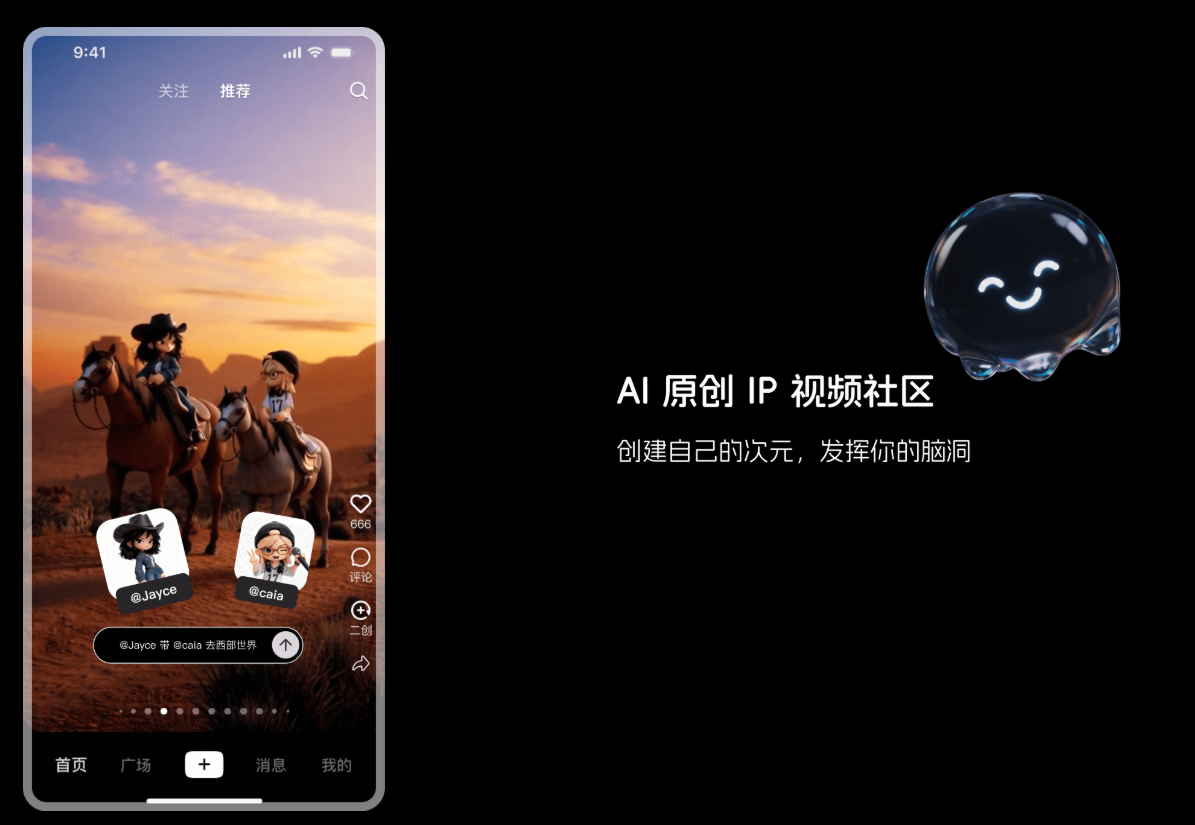
Zaoji is an AI original IP video community specially created for creators. Users can quickly generate personalized IP videos through natural language descriptions. “Create” breaks the technical barriers of traditional animation and modeling, allowing everyone to create easily. Create “sub” supports users to create their own dimensions and build stories with other creators. Let the OC circle, dynamic comic creators and brand operators all find fun. Create “secondary “primary dimension” and “small theater” functions to achieve true IP co-creation”. “Zao” currently only supports iOS access.
- Internal beta stage: Invitation code experience is required for sub-production. Each user successfully logs in and has 1 invitation code that can be used 5 times, and currently only supports iOS user access.
- Create “sub-invitation code”: The AI tool set officially provides a mutual aid group for making sub-invitation codes, sharing invitation codes for free, and unlocking priority experiences through mutual aid.

The main function of “making”
-
AI video generation : Users quickly generate personalized IP videos through natural language descriptions without the need for complex animation or modeling techniques.
-
IP creation and management : Users can create their own “dimension” (IP) and set it in detail, including appearance, personality, background, etc.
-
Main Dimension and Small Theater : The primary dimension is used to store the creator’s “official history” videos. The small theater supports other users to create “fan” videos based on this IP, and the creator can manage these contents.
-
Style fusion : IPs that support multiple styles (such as two-dimensional, ink style, 3 D, etc.) are integrated into different scenarios to meet diverse creative needs.

How to use Zange
- Download & Register : Download Create “sub-APP” , register an account with your mobile phone number or email address, and enter an invitation code to access during the internal testing period.
- Create Dimension : Open the APP, click the “Create Dimension” button to enter the creation interface.
- Fill in dimensional information : Enter the dimension name (such as “caia”), select the dimension type (such as a character), and provide a dimensional description (such as “a ‘wild’ artist captured by the entertainment industry”).
- Finish creation : After confirming that the information is correct, click Finish creation.
- Input description : Enter the specific content of the video in the text box of the creation interface, such as the character’s actions, dialogue, scene description, etc.
- Correlation Dimension : Enter “@dimension name” in the input box and associate the created dimensional character (such as “@caia”) to ensure that the video revolves around the character.
- Select Style : Select the style of the video from the style options provided, such as 2 D, Ink Wind, 3 D, etc.
- Tap Generate : Click the “Generate” button, submit the task, and wait for the AI to complete video generation.
- Primary-dimensional management : View all videos you publish on the “Main Dimension” page, edit, delete or share the videos to other platforms.
- Small-theatre interaction : View videos created by other users based on dimensions on the “Small Theater” page. You can like, comment or “promote” them to the primary dimension.
- Share works : Click the “Share” button in the upper right corner of the video to share the generated video to the community, social media or save it locally.
Create “sub-application scenarios”
- Personal entertainment and creation : Users quickly translate their personal imagination and ideas into video content for personal entertainment or social media sharing.
- IP role development : Creators build their own original IP characters or worldviews, and generate videos to provide visual materials for character development.
- Storytelling & Animation Production : Writers, screenwriters or animators quickly create storyboards or animated short films to speed up the creative process.
- Education & Training : Educators use secondary generation of educational videos, such as historical reproduction, scientific experiment simulation, etc., to enhance the interactivity and fun of teaching.
- Advertising & Marketing : Enterprises use their time to quickly generate advertising videos or marketing content to attract target audiences and increase brand awareness.