What is Quark PPT
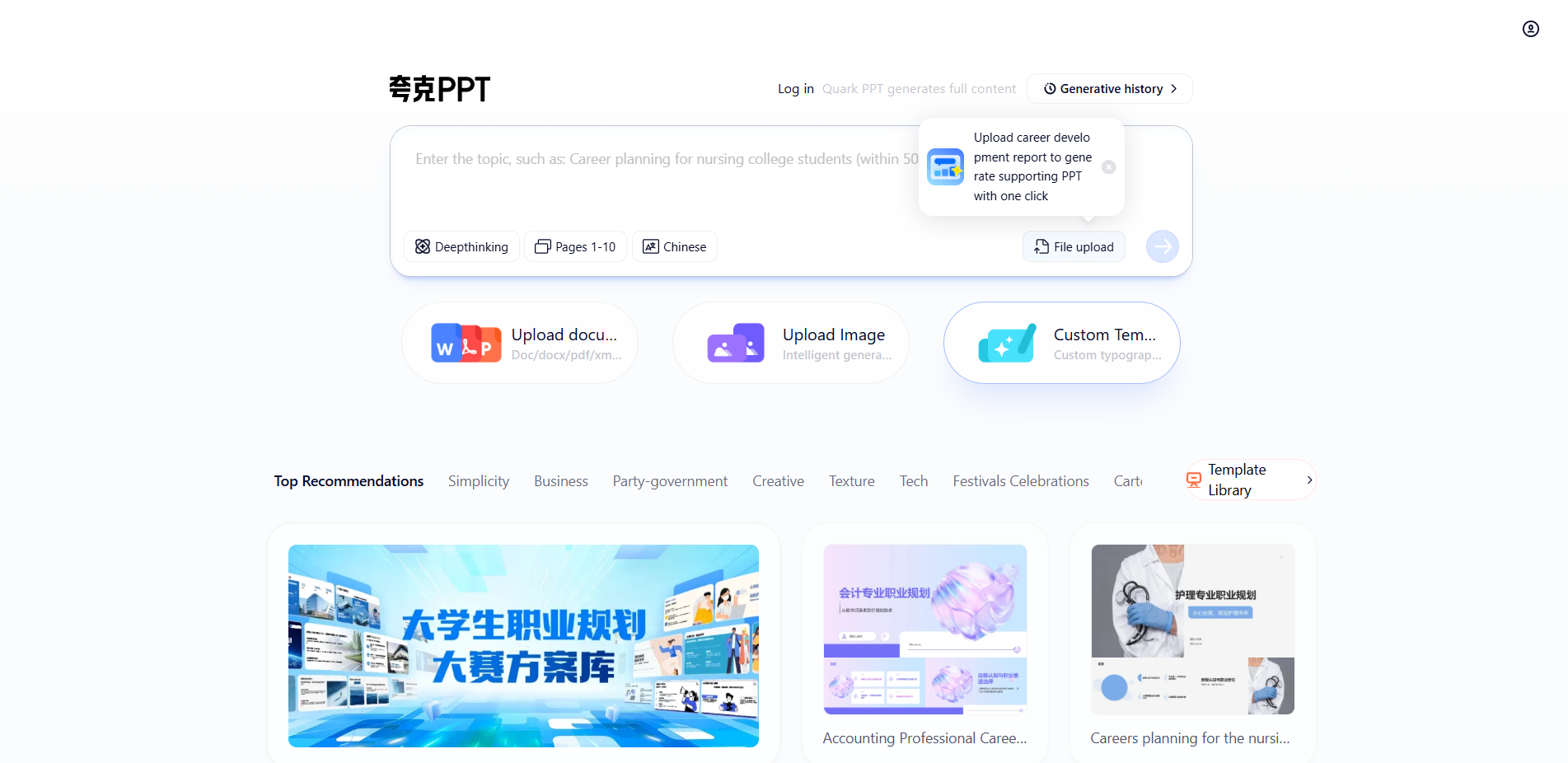
Quark PPT is owned by Ali Quark AI Introduced Intelligent presentation document generation tool. Users can quickly generate PPT by entering themes or uploading documents and pictures. Quark PPT supports multi-terminal operation, has a simple interface, is easy to use, and can output the first draft in 20 seconds. The basic functions of Quark PPT are free, and there is a limit on the number of times you can download PPT. You will be charged after exceeding the limit. Quark PPT is suitable for users who need to quickly create presentations, especially in scenarios such as workplace debriefings or academic presentations.

Main functions of quark PPT
-
Smart Generate PPT : Automatically generate presentations based on topics entered by users or uploaded documents and pictures.
-
Multiformat support : Supports uploading files in various formats, such as doc, docx, pdf, pptx, etc.
-
Image generation : Users can upload pictures, and the system intelligently generates PPT based on the picture content.
-
Custom Templates : Provides a variety of template options, users can customize the layout style according to their needs.
-
Freebasic features : There is no payment limit for basic functions. There is a limit on the number of times you can download PPT. You need to pay after exceeding the limit.
-
Multi-end operations : Supports online and client operations, making it convenient for users to make PPT anytime and anywhere.
How to use Quark PPT
-
Access Platform : Visit the quark PPT official website https://ppt.quark.cn/, or download Quark APP Find the Quark PPT to enter and follow the prompts to complete the account login and registration.
-
Enter Subject : Enter the theme or professional name of the PPT you want to make in the search box.
-
Upload a file or picture (If necessary): Select to upload existing documents (such as Word, PDF, etc.) or pictures, and let the AI generate PPT based on the materials.
-
Select Template : Browse to select a suitable template, or use the custom template function to design the PPT.
-
Generate PPT : Click the “Generate” button, and the AI will generate PPT based on input and selection.
-
Editing and adjustment : View the generated PPT, make necessary edits and adjustments to ensure that the content meets the requirements.
-
Download PPT : After finishing editing, download the generated PPT file.
Examples of use of quark PPT
Career Planning Contest for College Students PPT :
 Accounting Professional Career Planning PPT :

Application scenarios of quark PPT
-
Academic research : Help students and researchers quickly produce PPTs for academic reports and paper presentations.
-
Business debriefing : Provide efficient business presentation production tools for professionals, saving preparation time.
-
Education and training : Teachers and trainers quickly produce teaching courseware and training materials.
-
Product launch : Presentations used by companies to prepare product introductions and marketing.
-
Proceedings : Automatically organize the meeting content into PPT to facilitate participants to review and share.