What’s the Ark of the Job Hunt
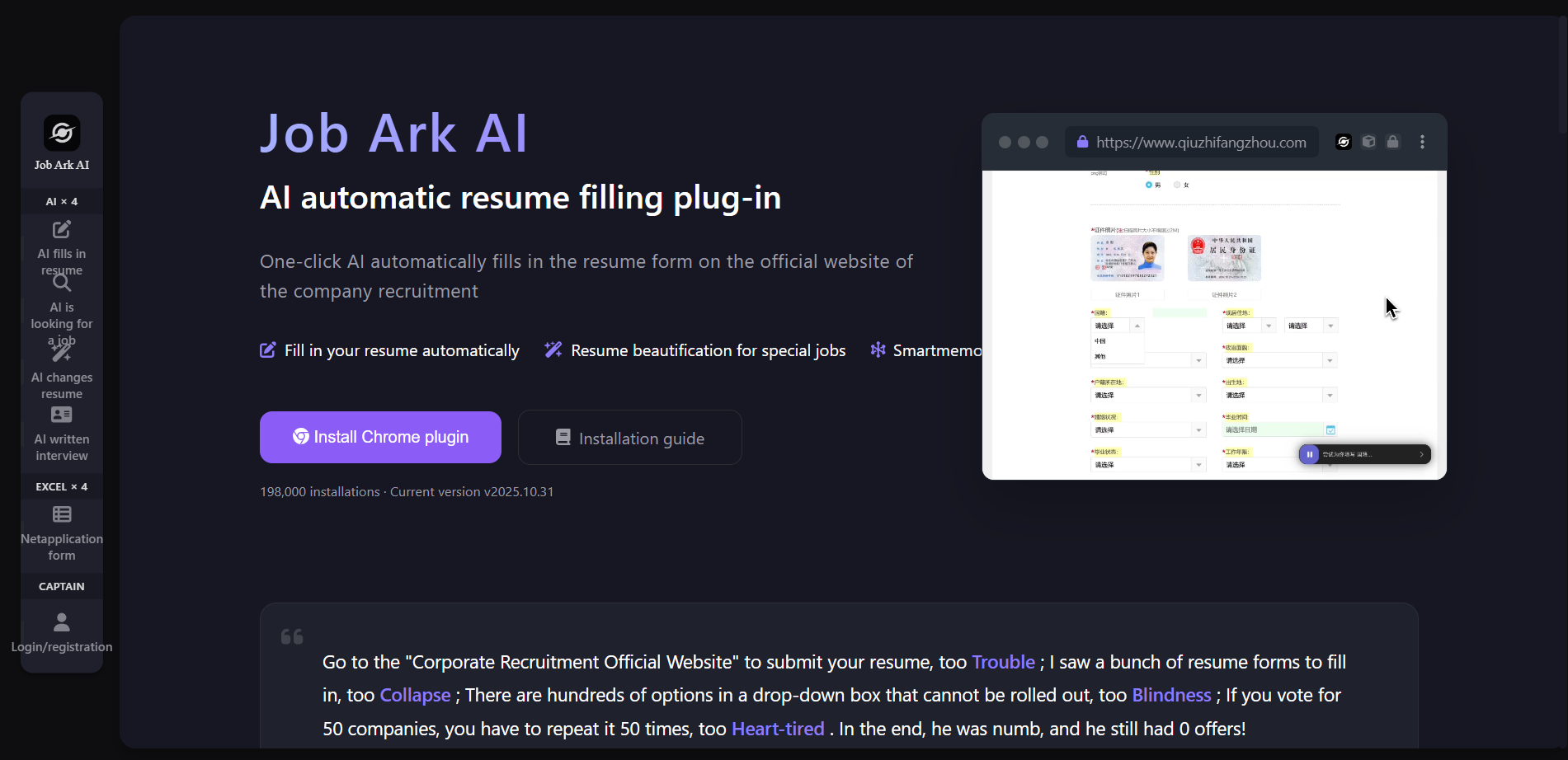
Job Ark is an AI job search tool that intelligently recognizes and automatically fills in resumes. AI automatically fills in resumes, and can automatically fill in the resume form on the company’s recruitment official website with one click, intelligently identifies the form structure and fills in information, greatly saving time; AI job search assistant can enter job search needs and help you find jobs across the entire network. Special job resume beautification, intelligently optimize the resume according to the target company and position, and realize “one job, one resume”; intelligent memory filling, only need to fill in the repeated fields once, the job search ark will automatically remember. Users need to download and install the AI automatic resume filling plug-in on the official website. After uploading their resume or manually filling in basic information, they can complete the filling through the plug-in with one click when submitting their resume on the corporate recruitment official website.

Key Features of the Ark of the Job Search
-
AI automatically fills in resumes : Automatically fill in the resume form on the official corporate recruitment website with one click, intelligently identify the form structure, and automatically fill in the information, saving time.
- AI is looking for a job : Exclusive AI job search assistant, input job search needs, to help you find jobs and positions across the entire network.
- AI changes resume : Based on DeepSeek, upload resume files to intelligently optimize resume content, support PDF, Docx, Markdown, TXT and other formats.
- AI written test interview :
- Written-examination assistance tool : Fully automatic written test mode, 8 AI fully automatic analysis for you. It is suitable for all online written tests, various types of assessments, programming, line tests, picture push, data analysis, etc.
- Interview assistance tool : Original dual-terminal interconnection, computer practice interview, mobile phone next to it generates auxiliary answers in real time, no fear of any screen cuts, shared screen detection.
-
Summary table of online applications for school recruitment : Update school recruitment, internal promotion and internship position information of 5,000+ companies in real time, and display them by industry and region to ensure that the source of information is true and reliable.
-
Record of progress in delivery : Manage all delivery records in the form of online Excel, automatically organize historical data and remind important time nodes, and visually display job search progress.
-
Resume beautification for special jobs : According to the target company and position, intelligently beautify the resume, realize “one resume for each position”, and improve the pertinence of the resume.
-
Smartmemory Fill-in : For fields other than resumes, the user only needs to fill them in once, and the system will learn and remember them intelligently to avoid repeated input.
How to use the Ark of Job Search
-
Register account : Visit the official website of Job Ark https://www.qiuzhifangzhou.com/ and complete the account registration.
-
Install plugins : Download and install Job Ark AI’s automatic resume filling plug-in from the browser app store.
-
Upload CV : Upload your resume in the plug-in or fill in the basic information manually. Job Ark AI will automatically save these contents.
-
Find jobs : Find the school recruitment, internal promotion or internship positions of the target company through the school recruitment online application summary form on the official website.
-
Submit CV : Enter the official website of corporate recruitment, open the plug-in, click “Automatically fill in resume”, Job Ark AI will automatically identify and fill in the form.
-
Optimize Resume : Use the resume beautification function of the special position to intelligently optimize the resume content according to the target position.
-
Documenting progress : Manage delivery history in delivery progress records and track job search progress. Job Ark AI will automatically remind important time nodes.
Installation Guide for Job Ark
- Preparation before installation
-
Browser requirements : Chrome 88+ or Edge 88+ versions are supported.
-
Network environment : preferably have access to either the Chrome store or the Edge store.
-
- Installation Imprint
-
Auto-installation Version : Google and Microsoft official review, security guarantee; quick deployment, one-click installation; new version automatically updated.
-
Manual-installation version : Manual download and installation, the operation is slightly troublesome; manual updates are required; the plug-in will be updated frequently to adapt to the latest corporate official website.
-
- Auto-installation version (recommended)
-
Chrome browser : Visit the official website of Job Ark, click “Install Chrome plug-in”, click “Add to Chrome” on the pop-up Chrome store page to complete the installation.
-
Edge browser : Visit the official website of Job Ark, click “Install Edge plug-in”, click “Get” on the pop-up Edge store page to complete the installation.
-
- Manual installation version (Chrome browser)
- Download the plugin compressed package : Visit the official website of Job Ark, click “install Chrome plug-in”, and unzip the zip file.
- Go to the extension page of Chrome browser : Enter in the address bar
chrome://extensionsAnd “Enter”. - On “developer mode” : Click the switch in the upper right corner of the extension page.

-
- Install plugin files : Drag the downloaded zip file “after decompression” to the extension page after finding the “crx file”.

- First-time use
- Visit the Job Ark website : Open the official website of Job Ark, navigate from the left to enter the “AI resume filling” page, and log in to your account.
- Upload CV : On the AI resume filling page, click the “Upload Resume” button, select the resume file (supports PDF, Word, TXT formats), the system will automatically parse the resume content, check and confirm the parsing results.
- Start using : Visit the official recruitment website of any company, select a position and click Submit. After logging in, fill in the resume page. The “Job Ark AI” floating button will appear in the lower right corner. Click the button to expand the floating window. Click the “Play” button to start filling. After filling in, you can Adjust supplementary content and submit for delivery.
Application scenarios for the Ark of the Job
-
Job-seeking for recent graduates : Help fresh graduates quickly fill in a large number of resume forms on corporate recruitment official websites, optimize resume content to match different positions, and improve job search efficiency.
-
Intern applications : Provide interns with convenient resume filling and delivery services, intelligently optimize resumes to adapt to the needs of internship positions, and increase the possibility of obtaining internship opportunities.
-
Job search in Haitou : Support job seekers to submit resumes on a large scale and automatically fill in duplicate forms to reduce duplication of work and improve the efficiency of overseas investment.
-
Job search by international students : Assist international students to adapt to the domestic job search process, intelligently fill in complex forms, and optimize resumes to meet the recruitment requirements of domestic companies.
-
Daily job search : Suitable for anyone with job search needs, looking for a full-time job or part-time job, and improving the job search experience through smart form filling and resume optimization functions.