What is Lesson Spirit PPT?
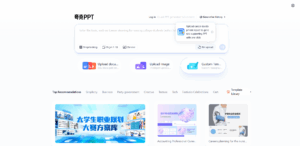
Keling PPT is an AI courseware PPT generation tool specially designed for educational scenarios. It can automatically generate teaching courseware based on teaching themes, including copywriting, design, illustrations, etc. It is suitable for teachers, parents and educational institutions. Through AI technology, we provide efficient teaching courseware production solutions for teachers, training institutions and parents. Users only need to enter teaching topics or upload lesson plans, and Lesson PPT can automatically generate beautiful and professional PPT courseware within 2 minutes, supporting more than 150 theme styles. KeLing PPT has a knowledge visualization function that can transform abstract concepts into dynamic charts and mind maps to help students better understand and remember knowledge. It provides functions such as AI lesson plan generation, ad-free academic search, and AI teaching picture generation to fully meet teaching needs.

The main functions of Lesson Spirit PPT
- AI generated PPT courseware: Enter a topic or upload a lesson plan, and the platform will complete layout, illustration, and style matching within 2 minutes. It supports 150+ theme styles, and the generated PPT is both beautiful and professional.
- Knowledge visualization: Transform abstract concepts into dynamic diagrams, mind maps and interactive models to make complex knowledge more intuitive.
- AI lesson plan generation: Based on structured generation of large models, it covers multiple subjects and multiple learning stages, automatically matches teaching objectives, key points and difficulties, and significantly reduces teachers’ lesson preparation burden.
- AI academic search: An ad-free academic resource search engine that aggregates teaching materials such as documents, pictures, and videos from all over the Internet to accurately match teaching needs.
- AI picture generation: Only text descriptions are needed to generate high-quality teaching illustrations, support a variety of artistic styles, solve the problem of illustrations, and have no worries about copyright.
How to use Lesson Spirit PPT
- access platform: Visit the official website of Classling PPT https://www.classppt.cn/, and you can use it after registering and logging in.
- Enter requirements: Fill in the topic, upload lesson plans or describe the required pictures on the corresponding function page.
- AI processing: The system automatically performs content analysis, structured generation and visual mapping.
- download: Download the generated PPT courseware with one click.
The core advantages of Lesson Spirit PPT
- True AI generation: Instead of template filling, content and layout are dynamically generated based on the theme.
- Uniform style and professional visuals: Illustrations, themes, colors, and layouts are automatically consistent.
- Multiple style illustrations: Supports illustrations in a variety of artistic styles to make courseware more vivid.
- Content is professional and structured: Suitable for open classes, competitive classes and other scenarios, with clear content logic.
Application scenarios of lesson spirit PPT
- Teacher teaching: Quickly produce open course courseware, daily teaching materials, competition courseware, etc.
- family education: Help parents generate tutoring courseware, enlightenment education materials, etc. for their children.
- educational institution: Suitable for teaching and training institutions and online education platforms for course production, content review, etc.
Applicable groups of Lesson Spirit PPT
- teacher: Help teachers quickly prepare lessons, generate unified style courseware, improve teaching efficiency, and save time for teaching interaction and student tutoring.
- training institution: It facilitates training institutions to mass-produce professional courseware, improves teaching delivery efficiency, and unifies teaching content and style.
- parents: Provide tools for parents to generate tutoring knowledge courseware for children to assist family education.