What is OpenCode
OpenCode is open source AI programming tools is called Claude Code The best alternative to help developers write code efficiently in the terminal, IDE or desktop environment. OpenCode supports a variety of large AI models, including free built-in models (GLM-4.7, MiniMax-M2.1) and paid models from mainstream providers (such as OpenAI, Anthropic, GitHub Copilot, etc.). Users can also connect local models to facilitate developers to process multiple tasks in parallel. OpenCode’s privacy protection feature ensures that code and data are not stored, is suitable for privacy-sensitive scenarios, supports a variety of development environments and workflows, and is a smart partner for developers.

Main functions of OpenCode
- Multi-platform support
- Terminal Interface (TUI): Used directly through the command line interface, suitable for developers who are accustomed to terminal operations.
- desktop application: Provides an independent desktop application, supports macOS, Windows and Linux, suitable for users who require a graphical interface.
-
IDE extensions: Support VS Code, Cursor Extension plug-ins for mainstream development tools are directly integrated into the development environment.
- Multiple model support
-
Built-in free models: Provides multiple free AI models (such as GPT-5 Nano、Big Pickle 等)。
- Mainstream model integration: Supports connection to mainstream AI model providers such as OpenAI, Anthropic, and GitHub Copilot.
- Native model support: Support users to connect to locally deployed models to meet privacy and customization needs.
-
- Development mode switch
- Build mode: Supports AI to perform actual code modifications, file editing and Shell commands, suitable for performing specific tasks.
- Plan mode: Analyze and plan tasks in read-only mode, generate detailed execution plans, and avoid risks caused by directly modifying the code.
- Code management and optimization
- Code analysis and suggestions: Help developers understand complex code bases and provide code optimization suggestions.
- Function development assistance: Generate code implementation based on developers’ needs, supporting the entire process from demand analysis to code generation.
- Version control integration: Supports Git commands to facilitate developers to manage code changes.
- Interaction and collaboration
- contextual reference:By input
@Reference files or code snippets in the project to help AI understand the context more accurately. - command execution: Supports a variety of built-in commands (such as
/init、/review、/undoetc.) to improve development efficiency. - Share session: Generate conversation links to facilitate sharing and collaboration among team members.
- contextual reference:By input
- Privacy and security: Does not store user code or context data by default, supports fully localized model deployment, and avoids data leakage.
- Theme and shortcut key customization: Allows users to adjust interface themes and shortcut keys according to personal preferences.
- Advanced feature support: Provides advanced functions such as LSP server, MCP server, and custom tools to meet complex development needs.
- Multi-language support: Supports multiple programming languages, can adapt to the technology stacks of different projects, and helps developers work efficiently in different language environments.
- Multi-session management: Supports starting multiple sessions in parallel in the same project to facilitate processing of multiple tasks at the same time.
OpenCode installation command

How to use OpenCode
- Terminal use
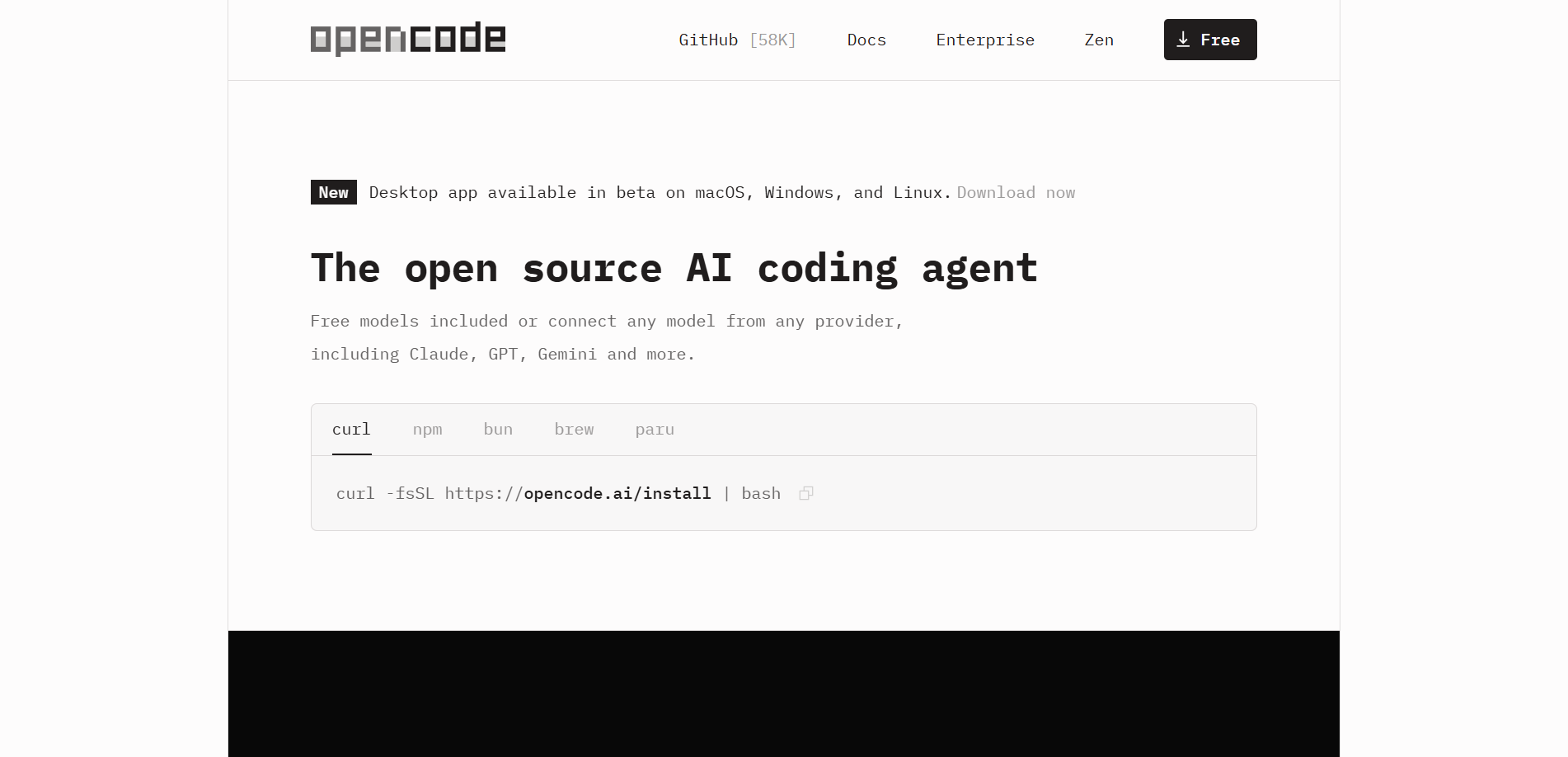
- Install: Run curl -fsSL https://opencode.ai/install | bash to install OpenCode, or install it through npm, Homebrew and other tools.
- start up: Enter opencode in the terminal to start the program.
- Configure model: When starting up for the first time, select a built-in free model or connect an external model (such as OpenAI) through the /connect command.
- Initialize project: After entering the project directory, run opencode init to generate the project configuration file.
- use: Enter the requirements directly in the terminal (such as “Add user authentication function”), and press the Tab key to switch between Build mode and Plan mode.
- Advanced features: Enter/execute commands (such as /review, /undo), or enter @ to reference files in the project.
- IDE use
- Install plugin: Search and install OpenCode plug-ins in IDEs such as VS Code.
- start up: After opening the project, enter opencode in the IDE terminal to start.
- Configure model: Enter /connect and paste the API Key to connect to the external model, or use the built-in model directly.
- use: Enter requirements in the IDE terminal, such as “optimize code performance”, and view AI recommendations.
- Advanced features: Enter/execute commands, or reference files via @, and manage code changes directly in the IDE.
- Desktop use
- Install: Download and install the desktop application from the OpenCode official website.
- start up: Open the desktop application and select the project to load.
- Configure model: Select a built-in free model or connect an external model in the application interface.
- use: Enter requirements in the dialog box, such as “Generate code for new functions”, and view the output of AI.
- Advanced features: Enter/execute commands, reference files via @, or upload images to assist development.

OpenCode’s official website address
- Official website address:https://opencode.ai/
- GitHub repository:https://github.com/anomalyco/opencode/
OpenCode product pricing
OpenCode adopts a pay-per-use model, and the fee is calculated based on the input and output of the model and the number of tokens for cached read and write operations.
- free model:Big Pickle、Grok Code Fast 1、MiniMax M2.1、GLM-4.7、GPT 5 Nano
- Paid model
- GLM-4.6V: Input $0.60/million tokens, output $2.20/million tokens, cache read $0.10/million tokens.
- Like K2: Input $0.40/million tokens, output $2.50/million tokens.
- Qwen3 Coder 480B: Input $0.45/million tokens, output $1.50/million tokens.
- Claude Sonnet 4.5(≤ 200K tokens): Input $3.00/million tokens, output $15.00/million tokens, cache read $0.30/million tokens, cache write $3.75/million tokens.
- Gemini 3 Pro(≤ 200K tokens): Input $2.00/million tokens, output $12.00/million tokens, cache read $0.20/million tokens.
- GPT 5.2: Input $1.75/million tokens, output $14.00/million tokens.
- GPT 5.1 Codex: Input $1.07/million tokens, output $8.50/million tokens.
- GPT 5.1 Codex Mini: Input $0.25/million tokens and output $2.00/million tokens.
The difference between OpenCode and Claude Code
- Open source: OpenCode is 100% open source. Users can freely view, modify and distribute the code. The openness provides a broad space for community participation and customization.
- provider agnostic: OpenCode does not rely on any specific model provider and can be flexibly used with Claude, OpenAI, Google or local models, providing users with more choices and flexibility for future development.
- Out-of-the-box LSP support: OpenCode has built-in Language Server Protocol (LSP) support. Users can obtain intelligent code completion, grammar checking and other functions without additional configuration, greatly improving development efficiency.
- Terminal User Interface (TUI) Focus: OpenCode was created by terminal development enthusiasts and focuses on providing the ultimate terminal user interface experience, providing an efficient and personalized development environment for developers who like to use terminals.
- client/server architecture: OpenCode adopts a client/server architecture, supports running locally, and is controlled through remote clients such as mobile applications, providing higher flexibility and convenience of multi-device use.
OpenCode application scenarios
- Personal project development: Independent developers can quickly generate code, optimize existing logic, or solve technical problems.
- Team collaboration development: Team members share sessions, collaborate on planning function implementation, and ensure code quality and consistency.
- Complex project analysis: OpenCode can quickly understand the structure of large code bases, generate function implementation plans, and avoid the risk of directly modifying the code.
- rapid prototyping: Quickly generate runnable code prototypes based on functional requirements to accelerate the product verification process.
- Teaching and Learning Programming: Generate code examples and explanations for students or novice developers to assist in learning programming knowledge.