What is Briefly
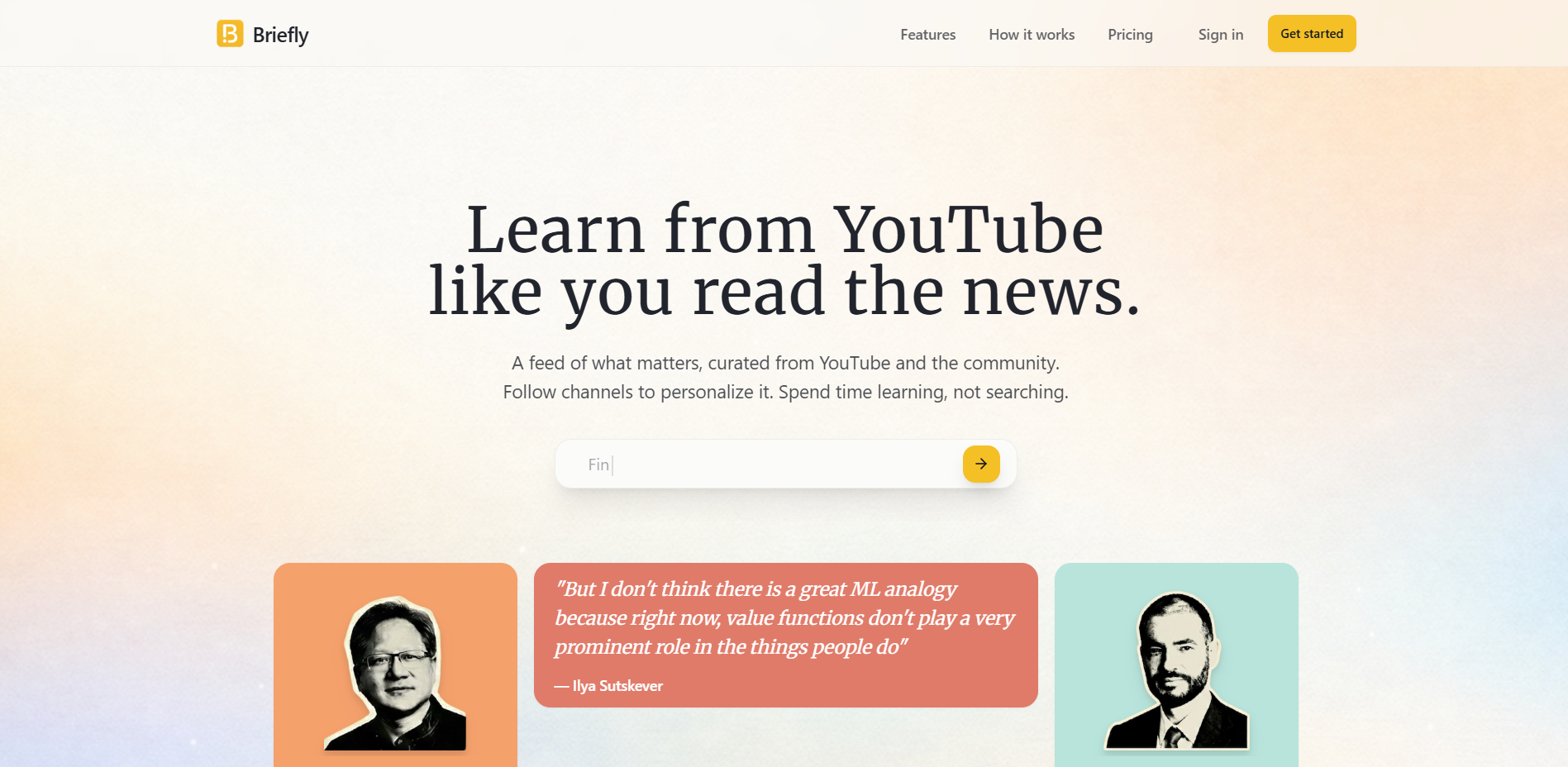
Briefly is an AI tool that can turn YouTube directly into a learning daily. Just follow the channel you want to learn at once. Briefly will automatically track new information and use AI to accurately extract 30-90 seconds of original quotes. Each one is accompanied by a timestamp, which can jump back to the full context with one click; built-in context translation allows non-native speakers to understand professional terms in seconds; the playback page can be used to write notes Automatically archive personal knowledge base and support label retrieval review. The homepage generates ad-free Clips feeds every day, allowing you to swipe through them to grasp core insights without being interrupted by algorithmic entertainment streams.
Key features of Briefly
- Personalized information flow : By following YouTube channels that interest you, Briefly will automatically track its new videos and push highlights into your personalized feed without manual searching.
- Video Summary : The platform does not provide lengthy summaries, but directly extracts key clips from the video. Each reference is accompanied by a timestamp, making it easy to quickly jump to the corresponding location of the original video.
- Note-taking ability :You can save notes directly while watching and build a personal knowledge base for easy review and reference later.
- Translation function : Provide Chinese translation to help non-native English learners understand professional terms and content meaning painlessly.
- Learn and remember : Play the page to write notes, automatically archive your personal knowledge base, and support tag retrieval and review.
- Personality Feed : Generate ad-free Clips information streams every day, provide quick insights, and stay away from entertainment noise.
How to use Briefly
- Register Login :Visit Briefly’s official website https://briefly.video/, register with Google or email with one click, enter the homepage and start.
- Building interest : Enter keywords (name, company, technology, event) in the search box, the system will instantly recommend related channels, click “Follow” to complete bulk subscriptions, and you can also import the existing YouTube subscription list
- Set language : In “Settings”, set the interface language to Chinese, turn on “bilingual subtitles + contextual translation”, and automatically compare professional terms.
- Daily Feed : The homepage “Today” automatically pushes new clips at 8:00 every day. Cards display titles, quotes, and durations. Swipe left or right to quickly save or archive.
- In-depth review : Click the bottom of the card “Watch Full” to jump directly to the original film time point; if you need a horizontal screen, click “Pop-up” the floating window and listen while you remember.
- Smart Notes : Select any subtitle during playback to highlight it. The sidebar automatically references the timestamp and the original text. It supports Markdown shorthand, insert screenshots, and type # tags
- Knowledge base management : The left side “Library” filters by tags, channels, and dates. Search for keywords to locate past notes; supports exporting PDF / Notion / Obsidian.
- Multi-end synchronization :After editing on the mobile phone, the computer will immediately synchronize and continue editing or batch exporting.
- Quota and Upgrades : For free accounts, there are 2 new clip credits per day. Click the upper right corner “Upgrade” to purchase an unlimited plan for 60 yuan/month, unlocking 4K clip downloads, team shared folders and API access.
Briefly’s applicable population
- Lifelong Learner :I hope to continue to follow up on high-quality channels and use fragmented time for effective learning rather than aimless browsing.
- Professionals : For example, founders, engineers, product managers, and investors need to quickly extract core insights from long industry interviews and technology sharing, and apply the learning results to their work.
- Researchers and students : Need to quickly find citable video clips and accurate sources for a paper, report, or study.
- Non-native English learners :We hope to make it easier to learn high-quality video content in the original English version through features such as contextual translation.