What is a little PPT
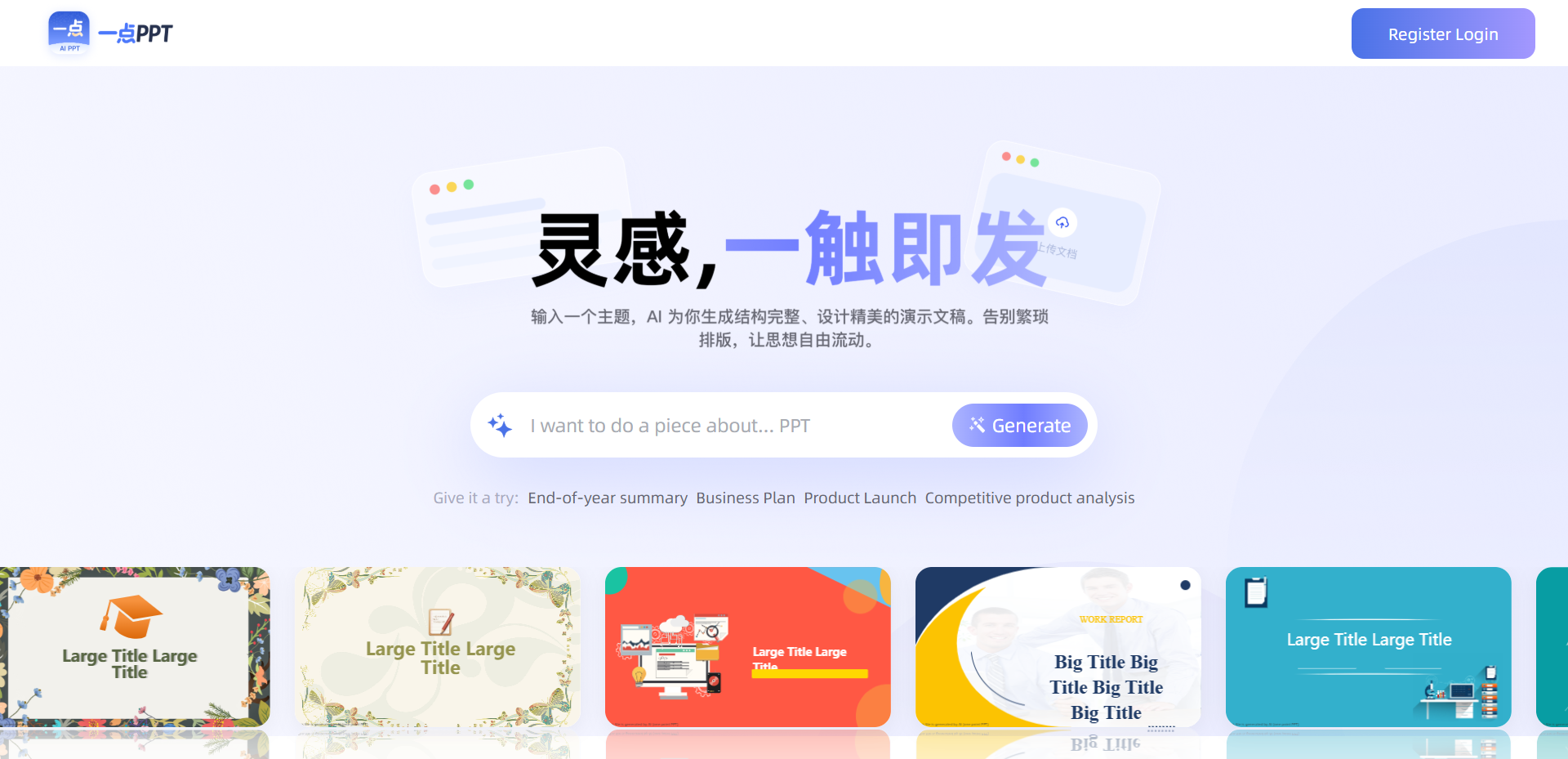
A little PPT is designed for professionals AI intelligent PPT generation tool, focusing on the ultimate efficiency experience ”PPT creation starts in 3 seconds”. Users only need to enter a one-sentence topic or upload documents such as Word, PDF, TXT, and Markdown. AI can automatically generate a logically rigorous outline, match professional templates, and complete intelligent typesetting and color matching within 10 seconds, and output a professional-level presentation that can be used directly in 5 minutes. Yidian PPT supports online deep editing, can freely adjust color fonts, insert charts, audio and video, and formula calculations, and provides bilingual Chinese and English generation and translation functions. Covering a large number of templates such as business style, technology style, and government style, it is suitable for many scenarios such as year-end summary, business plan, product release, and graduation defense.
The main functions of a little PPT
- AI one-click generation : Enter the theme, AI generates the complete content structure in 10 seconds, intelligently matches PPT templates, layouts and colors, and supports online in-depth editing.
- Multi-format import :Supports one-click import of Word, PDF, TXT, and Markdown, automatic extraction of key points of long articles, and AI helps you convert documents into PPT.
- What you see is what you get :AI-assisted layout and layout optimization, one-click adjustment to highlight key points, and free adjustment of theme color and font layout.
- AI Design Assistant :Intelligently detect chart data complexity, recommend better display forms (such as automatically suggesting the display percentage of ring charts), and support AI rewriting and optimizing content.
- Multilingual switching :Support the generation and mutual translation of bilingual Chinese and English texts, and easily handle cross-border reporting and planning of foreign-related activities.
- Multimedia support :Supports the insertion of charts, audio and video, and formula calculations to meet professional presentation needs.
- Massive template library : Covering various scenarios such as business style, simplicity style, technology style, formal style, etc., hundreds of professional design templates are available.
- Full-end compatibility :Full format import and export, computer and mobile phone multi-terminal synchronization, editing presentations anytime and anywhere.
How to use a little PPT
- Access to the Platform :Visit the PPT official website https://www.1dppt.com/ and register a login account.
- Input requirements : Describe the presentation topic in the homepage input box (such as ”Year-End Summary ””Business Plan”), or click Upload Document such as Word, PDF, TXT, Markdown, etc.
- AI Generation Outline :Wait for AI to automatically parse the content and generate a logically rigorous outline structure and complete PPT framework within 10 seconds.
- Select Template : Choose your favorite style from hundreds of professional templates, covering various scenarios such as business, education, technology, etc.
- Smart generation of PPT :AI automatically matches layout and color scheme to generate beautifully designed complete presentations.
- Online editing optimization : Enter the editor to freely adjust text, color matching, font layout, insert charts, audio and video, and formula calculations, and use the AI assistant to optimize the content with one click.
- Export Use : Export the PPT file after editing, support multi-terminal synchronization on computers and mobile phones, and demonstrate or modify it at any time.
The core advantages of a little PPT
- Extremely fast generation :Publish the first draft in 10 seconds and complete the professional PPT in 5 minutes. Say goodbye to staying up late to make slides.
- All-round input :Supports various methods such as topic input and document import, and can convert Word, PDF, Markdown to PPT with one click.
- AI Intelligent Design : Automatically comb out logic and optimize layout and color matching, and the output effect is comparable to that of professional designers.
- Very simple to use :The interface is clean and has no barriers to entry, no learning costs, and you can start operating it in 1 minute.
- In-depth editing :The online editor has comprehensive functions, taking into account Xiaobai’s needs for quick drawing and expert fine-tuning.
- Full-end compatibility :Supports full-format import and export, multi-terminal synchronization on computers and mobile phones, and processing presentations anytime and anywhere.
- Multilingual support :Bilingual Chinese and English generation and translation, easily cope with cross-border reports and foreign-related scenarios.
- Template enrichment : Covers multiple scenarios such as business, government affairs, education, technology, etc., and can choose from a variety of styles.
Applicable population of a little PPT
- Workplace elite : Quickly complete work summaries and project plans, use AI to sort out logic, and use professional templates to enhance the value of reports.
- Business people : Efficiently output corporate publicity and bidding display, and exquisite layout demonstrates brand quality.
- Educators : Generate courseware lesson plans with one click, focus on the teaching itself, and say goodbye to layout worries.
- Party and government organs : Standardize the production of party building reports and propaganda materials, make the templates grand and rigorous, and improve the level of demonstration.
- Students in school : Easily complete coursework, graduation defense, and job application resumes, allowing AI to assist in showcasing talents.
- Entrepreneurs : Quickly produce business plans and product launch PowerPoint presentations, and seize every roadshow opportunity.