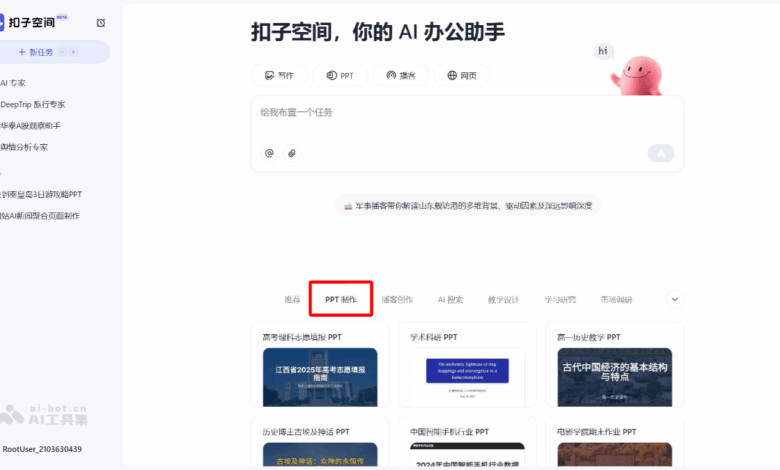
Button PPT what is
Button PPT is Clasp space The AI one-click generation PPT service launched can generate high-quality and exquisite PPT. Users only need to enter topics or upload relevant information, and AI will automatically complete data collection, content writing and layout design Generate PPT quickly . Provides a variety of preset styles, such as “humanities and history ”“academic sharing”, etc., which can intelligently match styles according to context, and the PPT style and content are highly unified. Before generating the PPT, the user can preview the outline and modify it. After generation, it supports online editing of text and replacement of pictures, and AI will automatically optimize the typesetting. The Agent collaboration mode of Button Space supports users to direct different agents to complete information collection, data analysis and other tasks, and integrates and generates professional PPT.

Main functions of the button PPT
- Generate PPT with one click : Users only need to enter simple themes or needs, or upload relevant information (such as Word, PDF, Excel, etc.). AI will automatically complete a series of operations such as data collection, content writing, and layout design to quickly generate a high-quality PPT.
- Intelligent design matches style : The button space provides a variety of preset styles, such as “humanities and history”“ academic sharing”“ research reports ”“data analysis”, etc. Users can choose the appropriate style according to the theme and use of the PPT. If the style is uncertain, you can choose “intelligent selection”, and the AI will automatically match the style according to the context of the task, ensuring that the style and content of the PPT are highly unified.
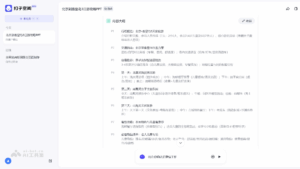
- Content outline preview and modification : Before generating the PPT, the button space will generate a content outline for the user to confirm. Users can modify, delete or insert new pages for each page in the outline, ensuring that the content of the PPT is as expected.
- Flexible secondary editing : The generated PPT supports highly flexible editing interaction. Users can modify text and replace pictures online, and AI will automatically optimize layout and layout. Users can also download PPT files (support.pptx format), use familiar software (such as PowerPoint or WPS) for refined modification.
- Multimodal content generation : Charts, pictures, mathematical formulas and other elements can be generated according to needs, making PPT richer and more diverse.
How to use the button PPT
- Login Platform : Access Button Space Official Site , log in using your phone or other means.
- Create new task : Click “New Task” to enter the task creation interface.
- Enter task requirements
-
Enter the topic directly : Enter the topic or requirement of the PPT in the input box, for example “make a PPT about artificial intelligence”.
-
Upload profile : If relevant information is already available, you can upload PDF, Word, Excel and other files through “attachments”, or paste text or provide web links. AI will generate PPT based on this information.
-
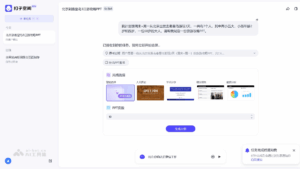
- Select style and page count : The system will prompt you to select the style of PPT, optional “humanities and history ”“ academic sharing ”“ research reports ”“ data analysis” or “intelligent selection”. Specify the number of pages of the PPT (currently up to 30 pages are supported).
- Confirmation outline : The button space will generate a content outline for users to confirm. The user can modify, delete or insert new pages for each page in the outline.
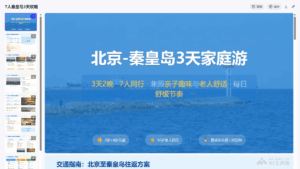
- Generate PPT : Click “Generate PPT”, the AI will automatically search for relevant content and generate PPT page by page. During the generation process, the user can view the AI’s search content and sources.
-
Online Editing : The generated PPT supports online editing, users can modify text and replace pictures, and AI will automatically optimize layout.
-
Download Modifications : PPT file can be downloaded (in.pptx format), using PowerPoint or WPS for refined modification.
- Optimization & Adjustment : If you are not satisfied with the generated PPT, you can click the “Edit” button, enter modification suggestions, and let the AI regenerate a certain page or the entire PPT.
Generate examples : I plan to go to Qinhuangdao from Beijing for 3 days on weekends + Mondays. There are 7 people in total, including two children, five children, aged 2 and 4 years old, and a 60-year-old adult. Please help me formulate a travel guide PPT. ( https://space.coze.cn/s/sizVQ7xckPE/)
Application scenarios of button PPT
-
Project reporting : Quickly generate PPTs of project progress and results display to help team members and management quickly understand the project situation.
-
Market analysis : Based on market research data, generate PPT containing charts and analysis for internal sharing or customer reporting.
-
Sale proposal : Produce sales proposal PPT, highlight product advantages, market positioning and customer value, and improve sales success rate.
-
Academic Reports : Prepare PPTs for academic conferences or seminars to clearly display research results and experimental data.
-
Teaching courseware : Teachers can quickly create teaching PPTs, including rich charts and cases to improve teaching effects.
-
Eventplanning Book : Produce planning PPTs for company events, conferences or marketing activities, showing event plans, budgets and expected effects.