What Calicat is
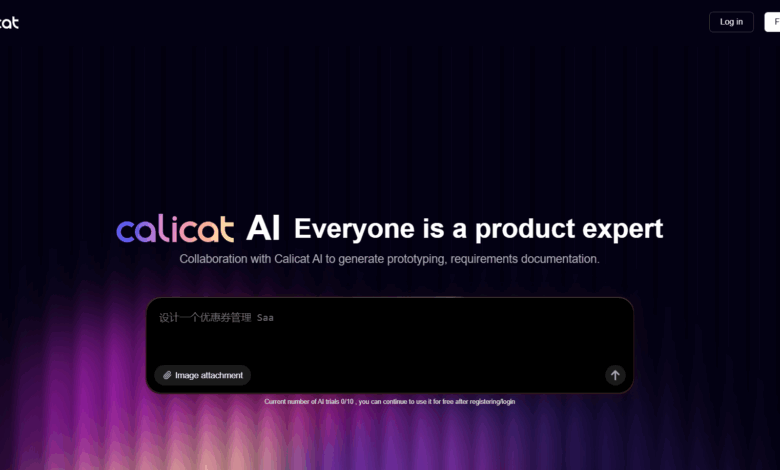
Calicat is ProcessOn The one-stop production, equipment and research collaboration platform launched by the team takes “AI efficiency improvement + flexible customization” as the core to help users draw high-fidelity prototypes with zero threshold. Users only need to describe the requirements in natural language, AI can quickly generate the first draft and support iterative editing. Calicat is equipped with a full-scenario component library, including the TDesign component library, as well as functions such as style replacement and automatic layout, allowing product novices to quickly verify ideas and designers to focus on creative optimization. Calicat can extract designs from sketches, web pages, etc., and supports a variety of design scenarios, such as self-media covers, document layout, PPT design, etc., helping users achieve efficient design creation through AI.
Calicat’s main functions
- AI design Assistant :
-
Natural language generation prototype : Users describe their needs in natural language, and AI quickly generates first drafts and supports iterative editing.
-
Multimodal design input : Supports sketch conversion and web page extraction design. AI recognizes sketch elements or extracts web page design for editing.
-
Requirements document generation : AI automatically generates demand document cards to help transform from vague ideas to professional PRD modules.
-
Component library support : With the full-scene component library, it supports style replacement and automatic layout to meet diverse design needs.
-
- Prototype design features :
-
AI streaming prototype : Supports the generation from a single page to a complete set of design solutions to meet a variety of design needs.
-
Efficient design tools : Provide functions such as automatic layout, component library, picture library, icon library and shortcut styles to improve design efficiency.
-
Multi-scenario design support : Applicable to various design scenarios such as self-media covers, document typesetting, and PPT design.
-
-
One-stop collaboration : Break the gap between product, design, and R&D, and achieve a seamless connection from demand to design to development.

How to use Calicat
- Registration & Login : Visit Calicat official website https://www.calicat.cn/, register an account and log in.
- Create Project : Once logged in, create a new design project, enter the project name and associated description.
- Use AI Design Assistant : Describe the design requirements in natural language in the input box, and AI quickly generates a preliminary design draft based on the description.
- Exploiting component libraries and tools : Choose the right components for design as needed. Use functions such as “automatic layout, style replacement, picture library, icon library, etc.” to further improve the design.
- Multimodal design input :
- Sketch-to-prototype : By uploading sketch pictures or uploading photos, AI automatically recognizes sketch elements and converts them into high-fidelity pages.
- Web Extraction Design : Use the Calicat Chrome browser plug-in to extract the web design for editing with one click.
- Requirements document generation : During the design process, AI automatically generates demand document cards to help users transform from vague ideas into professional PRD modules.
- Collaboration & Delivery : Invite team members to join the project for real-time collaboration and communication. After completing the design, export the design files or push them directly to the development team, Calicat AI’s upcoming MCP Server will assist in efficient development delivery.
Calicat application scenarios
- Product design : Product managers describe requirements in natural language, quickly generate product prototypes, and verify product ideas.
- Interface design : The designer generates the first draft through AI and combines the component library and editing tools to efficiently complete the interface design.
- Self-media content production : Self-media people produce self-media covers, graphic and text layout, and AI generates designs with one click to enhance the attractiveness of content.
- Document typesetting : The tool supports automated typesetting of documents, and AI can generate beautiful layouts and save typesetting time.
- PPT Design : Quickly generate PPT page design, AI optimizes layout and visual effects, and improves presentation quality.