What is “Kezign AI?”
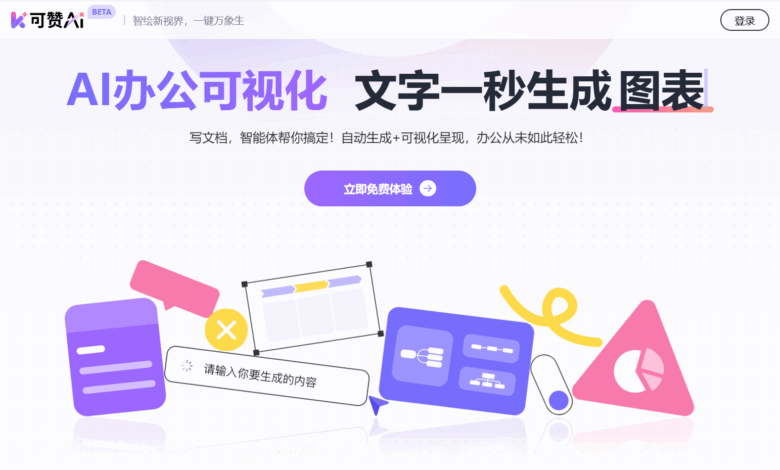
Kezign AI is an intelligent document processing tool that focuses on office scenarios. The core advantage lies in the integration of AI automatic generation and visual presentation functions to make document creation and information sorting more efficient. It can “intelligently identify key information in imported existing documents or AI-generated content, and transform complex data, project context, meeting points, etc. into intuitive forms such as charts, legends, knowledge cards, and mind maps”. Users can quickly obtain a wide variety of text illustrations by simply clicking on the generation button on the left side of the paragraph, without relying on other drawing tools.
Kezign AI supports one-click output of standardized annotated legends. It can not only automatically identify text elements and generate corresponding legends, adapt to multiple types and multi-project scenarios, but also provide personalized attribute adjustment functions, including custom modification of outline content, built-in color matching reference and one-click Color changing ensures accurate matching of legends and text content, further improving information visualization effects Make office easier and more efficient.
The main functions of “Kezign AI”
-
Generate charts in one click : It can quickly convert the data in the text into professional visual charts, automatically match the most suitable chart types and templates, support multiple format outputs, and is convenient for compatibility with commonly used office software.
-
Generate knowledge cards : Card styles that automatically adapt to the needs of different scenarios. Users can adjust the content and layout according to their needs to present knowledge points in a more professional and easy-to-read form.
-
Intelligent extraction of information to generate brain maps : Automatically refine text information structures, generate structured brain diagrams, help users sort out ideas and organize data, support free expansion of levels and nodes, and intuitively grasp the context of content.
-
Personalized customization : Provides a variety of built-in color schemes, supports one-click color change, users can quickly adjust the visual effects of generated content to meet personalized needs.
How to use Kezign AI
-
Visit Official Website : Visit the official website of Kezign AI https://kezign.cn/ and register and log in to your account.
-
Create or import documents : On the edit page select Create a new document or import an existing document.
-
Generate visual content : Click the generate button on the left side of the paragraph to convert the text into legends, charts, knowledge cards or brain diagrams, etc.
-
Edit & Customize : Adjust the generated visual content, such as modifying the color, layout, etc.
-
Export & Share : Once you have finished editing, export the document to the desired format or share the link.
It can be praised for the application scenarios of AI
-
Document writing : Quickly write reports, summaries, plans and other documents, and use AI to automatically generate content to improve writing efficiency.
-
Data analysis : Visual display of complex data through charts, legends, etc. for easy understanding and analysis.
-
Project management : Use brain diagrams and flow charts to plan project progress, sort out tasks and resource allocation, and improve the clarity and efficiency of project management.
-
Proceedings : Quickly record key points in the meeting and convert them into knowledge cards or legends to facilitate subsequent review and execution.
-
Study notes : Organize learning materials and transform knowledge points into visual forms that are easy to remember and understand.