What is Google Antigravity
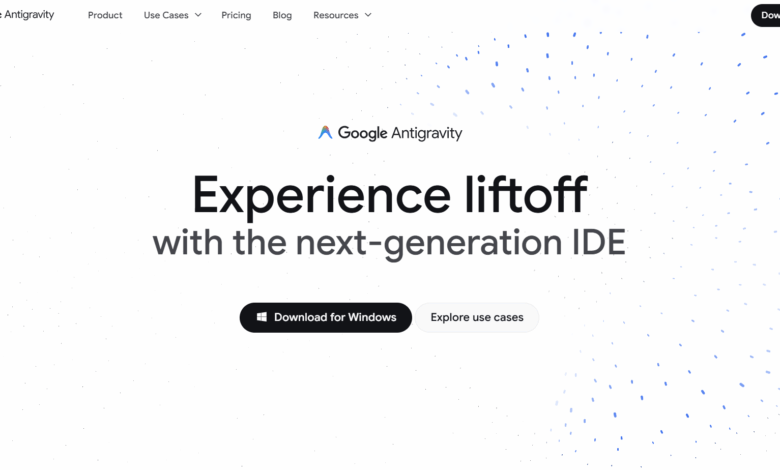
Google Antigravity is an AI IDE programming agent launched by Google. It changes the model of software development through the autonomy and efficiency of AI assistants. Google Antigravity starts with Gemini 3 and other advanced AI models as the core, transforming AI assistants from tools into active partners. Google Antigravity provides an independent agent interface that can autonomously plan and execute complex end-to-end software tasks, while supporting operations across editors, terminals, and browsers. Google Antigravity integration Gemini 2.5 Flash and Nano Banana and other models to further enhance functionality. Developers can complete development work more efficiently through task-level interactions, while enjoying the code verification and self-improvement capabilities of the agent. Google Antigravity is open to public beta and is free for developers to use, supporting Mac, Linux and Windows systems.
Key features of Google Antigravity
- Autonomous mission planning and execution: Antigravity’s intelligent agents can autonomously plan and execute complex end-to-end software tasks, from code writing to testing and verification, reducing manual intervention.
- Operate across environments: The intelligent body can directly access the editor, terminal and browser to realize the full process automation of code writing, local operation and functional testing.
- task level interaction: Provide users with visualization of task progress through “artifacts” such as task lists, implementation plans, and screenshots, and enhance users’ trust in the work of the agent.
- Asynchronous and synchronous interactions: Provides “Editor View” for synchronous operations and “Manager View” for asynchronous task management, supporting multi-task parallel processing.
- Real-time feedback and improvements: Users can provide feedback on any workpiece, and the agent will automatically adjust the execution strategy, learn from the feedback, and continuously optimize its own performance.
- Multi-model integration: Support Gemini 3 Pro, Gemini 2.5 Computer Use(for browser control) and Nano Banana (image editing model), providing a powerful combination of features.
- Knowledge management and self-improvement: The agent learns past experience through the knowledge base and converts successful steps and code snippets into knowledge for future tasks.
- Free public beta and multi-platform support: Currently in the public beta stage, it is free for developers to use and supports Mac, Linux and Windows systems.
Examples of using Google Antigravity
Prompt :Build me a flight lookup nextjs web app where the user can put in a flight number and the app gives you the start time, end time, time zones, start location, and end location of the flight. For now, use a mock API that returns a list of matching flights. Display the search results under the form input. (Build me a Next.js flight query web application where the user can enter a flight number and the application will give the flight’s start time, end time, time zone, start location, and end location. Currently, a mock API is used to return a list of matching flights. Display the search results below the form input.)

Prompt :Please add a contact form to my website through a button on the top right. (Please add a contact form to my website through a button on the top right.)

How to use Google Antigravity
- Registration and download: Visit the Google Antigravity official website https://antigravity.google/ to download and install the client.
- Setup and configuration: After the installation is complete, follow the prompts to configure the development environment and AI model, and adjust the interface and function settings to suit your personal development habits.
- Create projects and tasks: Create a new project in Google Antigravity, define development tasks, decompose them into multiple subtasks, and clarify task goals and priorities.
- Use an agent: Perform synchronous interactions through the “Editor View”, or start the agent to perform tasks in the “Manager View” and monitor the progress in real time.
- Provide feedback: Add feedback directly to the text, code or screenshots generated by the agent, and the agent automatically adjusts the execution strategy.
- Knowledge management and reuse: Check the knowledge base of the agent and reuse past experience to improve development efficiency and quality.
Product pricing for Google Antigravity
Google Antigravity is in the public beta stage and is currently open to individual developers for free. Users can access Gemini 3 Pro, Claude Sonnet 4.5, GPT-USA variety of AI models including.
Application scenarios of Google Antigravity
- Front-end development: Quickly generate and optimize front-end code. The intelligent agent can automatically create page layouts, write CSS styles, and test the effects in real time in the browser.
- backend development: The agent can assist in writing back-end logic code, such as database operations, API development, etc., for code optimization and unit testing.
- Full stack development: Handling both front-end and back-end tasks in one project, the agent can coordinate the development of different modules and achieve end-to-end functional implementation and testing.
- Automated testing: Google Antigravity can automatically generate test cases, execute automated tests, and verify the correctness and performance of the code.
- Code review and optimization: The agent can review existing code, make optimization suggestions, and even automatically fix some common code problems.