iFlytek a professional AI simultaneous interpretation platform
What is iFlytek
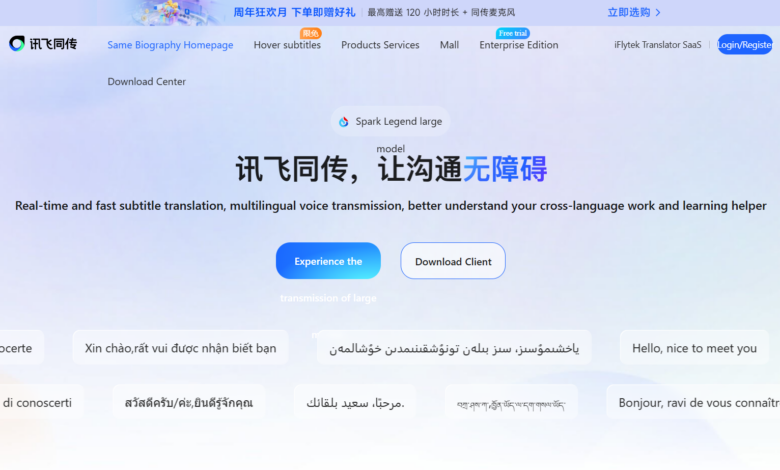
iFlytek Tongchuan is a professional AI simultaneous interpretation product launched by iFlytek. Based on its world-leading intelligent voice and language technology, it provides integrated simultaneous interpretation services such as real-time transcription translation of multiple scenarios and multiple languages, simultaneous interpretation, live broadcast subtitles on screen, and meeting record sharing. The product supports real-time translation between Chinese and English, Japanese, Korean, French, German, Russian, Spanish, Italian, Arabic, Thai, Vietnamese, Cantonese, Uyghur, Tibetan and other languages. Chinese and English support mixed recognition, and provide rich functions such as floating subtitles, subtitle projection, intelligent audio and video subtitles, real-time shooting subtitles, and voice broadcasts.
Key features of iFlytek
- Multilingual simultaneous interpretation : Supports real-time translation between Chinese and English, Japanese, Korean, French, German, Russian, Spanish, Italian, Arabic, Thai, Vietnamese, Cantonese, Uyghur, Tibetan and other languages, and supports mixed recognition between Chinese and English.
- Hover subtitles : Live broadcast, drama watching, movie watching, and video conferencing with one-click bilingual subtitles, support simultaneous transmission and translation of 12 Mandarin languages.
- Subtitles projection screen : Supports full-screen projection and subtitle overlay, and can customize subtitle text size, color, logo, background and other styles.
- Sharing : Generate a shared link. Remote guests can scan the code or click the link to view real-time simultaneous subtitles and listen to AI synthesized audio. No download or registration is required.
- Audio and video intelligent plus subtitles : Import audio and video with one click, support Chinese, English, Japanese and Korean language recognition and translation subtitles, support traditional Chinese subtitles and SRT file export.
- Live Capture Subtitles : Turn on the real-time subtitle function when shooting long videos, and support real-time effect in Chinese, English, Japanese and Korean languages.
- Voice broadcast :Supports real-time broadcast of translation results through AI synthesized audio, and can be connected to various radio/releasing equipment.
How to use iFlytek
- Download Installation :Visit iFlytek’s official website tongchuan.iflyrec.com Download the desktop client, or search for it in the App Store ”iFlytek“Download APP.
- Register Login : Register and log in to your account using your mobile phone number to complete real-name authentication.
- Select Same-pass mode : Select function modes such as ”floating subtitles”, ”subtitle projection” or ”audio and video plus subtitles” according to the usage scene.
- Set language : Select the source and target languages, support mixed Chinese and English recognition and multilingual translation.
- Enable real-time simultaneous transmission : Click the Start button and the system will automatically perform speech recognition, translation and subtitle generation.
- Subtitle style adjustment : In subtitle projection mode, you can customize the text size, color, background, logo and other display styles.
- Generate ingredient sharing links : Click the share button to generate a QR code or link. Remote participants can scan the code to view real-time subtitles and listen to AI synthesized audio.
- Export meeting minutes :After the meeting, the transcribed content and translation results can be exported as documents or SRT subtitle files.
Application scenarios of iFlytek Tongchuan
- Large international conferences : Suitable for high-end conference scenarios such as press conferences, exhibitions, academic forums, business negotiations, etc., providing professional-level simultaneous interpretation services.
- Online video conferencing :Supports simultaneous interpretation of remote meetings such as Zoom and Tencent Meetings, allowing remote participants to obtain bilingual subtitles in real time.
- Entertainment Live : Use the live broadcast subtitle on-screen function during the live broadcast of the program to provide multilingual translation services to enhance the audience experience.
- Video dubbing :The drama viewing artifact function supports adding subtitles in the post-video and shooting subtitles in real time to meet the translation needs of film and television content.
- Education and training : Suitable for distance education and international academic exchanges, allowing teachers and students from other places to interact in real time and communicate across languages.
- Tourism exchange : Help tourists perform real-time voice translation when traveling abroad to better understand and appreciate local culture.