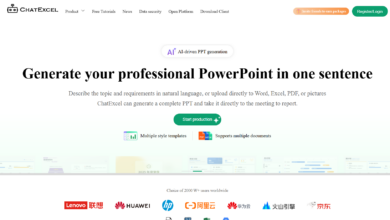
What is the McDonald’s MindShow
The McDonald’s MindShow is AI online PPT generation tool, through large models and intelligent algorithms, text, Word or Markdown content can be quickly converted into professional presentations. After the user enters the theme or document content, MindShow can generate clearly structured and professionally designed slideshows in 30 seconds, adapted to various scenarios such as business and education. Supports multi-language translation, automatic design of pictures, multi-format import and other functions. MindShow is suitable for business people, teachers and students, designers, marketers and multinational teams, and can greatly improve work efficiency.
Main features of the McDonald’s MindShow
-
Generate PPT with one click : The user enters the title or keyword, and the system quickly generates a complete PPT, containing elements such as text, layout and pictures, suitable for a variety of scenarios.
-
Multi-format content import : Supports importing content from text, Word, Markdown, PDF, TXT, mind map and other formats to facilitate users to quickly integrate data.
-
Smart translation : Provides intelligent translation function, which can translate document content into multiple languages while maintaining the layout of the original text to meet international needs.
-
Auto design pictures : Automatically generate matching pictures based on PPT content or keywords to improve the visual effect of the presentation.
-
Enriching Templates & Themes : Provide a variety of PPT templates and themes, users can choose according to their needs, quickly create personalized presentations.
-
Collaborative editing online : Supports multi-person online collaboration, team members can share and edit presentations in real time, improving the efficiency of team collaboration.
How to use McDonald’s MindShow
-
Registration & Login : Visit the official website of McDonald’s MindShow https://www.mindshow.vip/, scan the QR code on WeChat or register an account with your mobile phone number, and new users will receive a free quota.
-
Create or import content : Enter the core theme or upload a document (such as Word, Markdown, PPT, PDF, etc.) in the authoring interface, and the system will automatically generate PPT content.
-
Editing & Customization : Edit and customize the generated PPT, such as adjusting the layout, changing templates, adding animations, inserting pictures and charts, etc.
-
Smart Function Optimization : Use the “Intelligent Picture Matching” function to replace materials in batches, or enable the “Design Specification” function to lock brand fonts and color schemes.
-
Export & Demo : After finishing editing, you can export PPT to PPTX or PDF format, or direct online presentation, support speaker view.
The applicable population of the McDonald’s MindShow
-
Business people : Quickly produce high-quality business reports and conference presentations to save time and enhance professional image.
-
Educators : Course presentations can be easily created by teachers and trainers and can also be used by students to produce academic reports or project presentations.
-
Marketers : Produce promotional materials, market analysis reports and brand promotion presentations to improve work efficiency and content appeal.
-
Project managers : Quickly generate project progress reports and team reporting materials to facilitate team communication and project advancement.
-
Administrators : Produce daily work reports, meeting minutes, etc., reduce repetitive work and improve work efficiency.
-
Creative Designers : Take advantage of its templates and design features to quickly generate creative presentations that inspire.