What is Peanut AI
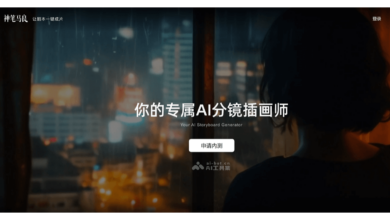
Peanut AI was launched by Station B AI video creation tool, helps users quickly generate video content. Users only need to provide copywriting or audio, and the complete video can be generated in as fast as 3 minutes. Peanut AI provides two creation modes: intelligent matching of materials, AI will automatically match picture materials according to copywriting; template production, which can quickly generate standardized videos. Peanut AI Support Timbre clone Function, users can upload 10 seconds recording to generate exclusive timbre. The generated video can be posted directly to Bilibili, which greatly improves the creative efficiency.
Main functions of Peanut AI
-
Smart-generated video : After the user enters the copy or uploads the audio, the AI automatically matches the picture material and quickly generates the complete video, which only takes 3 minutes at the fastest.
-
Tone cloning function : Users can upload a 10-second personal recording, AI-generated exclusive timbres similar to their own timbres, and can also choose from a variety of public timbres provided by the platform.
-
Multilingual support : Based on Index, a large language model developed by Bilibili, it supports real-time translation in nearly 10 languages with an accuracy rate of up to 90%.
-
Template production : Provides a variety of preset templates that users can apply directly to quickly generate standardized videos.
-
One-click release : The generated video can be uploaded directly to Station B, making it convenient for creators to quickly share their works.
How to use Peanut AI
-
Register Login : Visit the official website of Peanut AI https://www.huasheng.cn/ and log in with your Bilibili account.
-
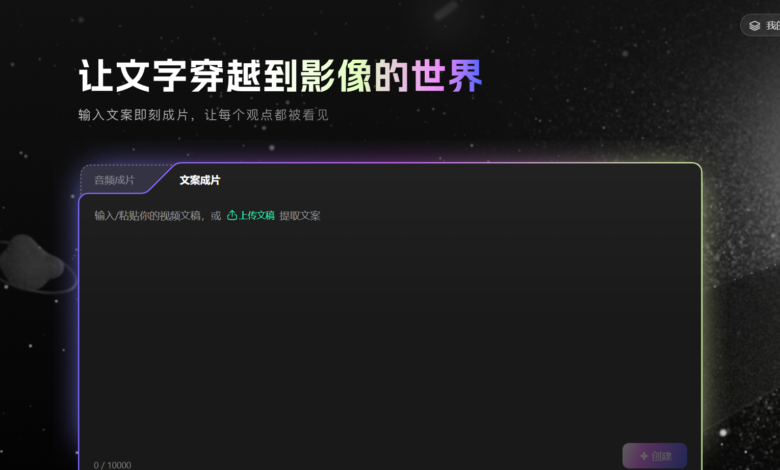
Enter copy or upload audio : Enter copywriting or upload audio files on the authoring interface as the basic content of the video.
-
Select Templates or Footage : Select the preset template as needed or let the AI automatically match the material to generate a video screen.
-
Tone selection or cloning : Select the timbre provided by the system or upload a personal recording to generate an exclusive timbre.
-
Adjustments & Previews : Adjust the generated video, such as modifying the picture, sound effects, etc., and preview the effect.
-
Post video : After confirming that it is correct, you can post the video directly to station B.
Applicable groups of Peanut AI
-
Individual creators : For personal content creators who want to quickly produce high-quality videos, especially if they lack professional editing skills or time.
-
Small-medium teams : For small teams, Peanut AI can efficiently generate video content, reduce production costs, and improve the team’s creative efficiency.
-
Short Video Operators : Helps operations staff to quickly generate short videos suitable for social media platforms to meet the needs of high-frequency updates.
-
Creators in history, finance, entertainment and more : Peanut AI can quickly generate relevant videos, improve content output speed, and standardize production.
-
Students and educators : Can be used to create instructional videos or learning materials to help quickly generate video content to assist in teaching or learning.