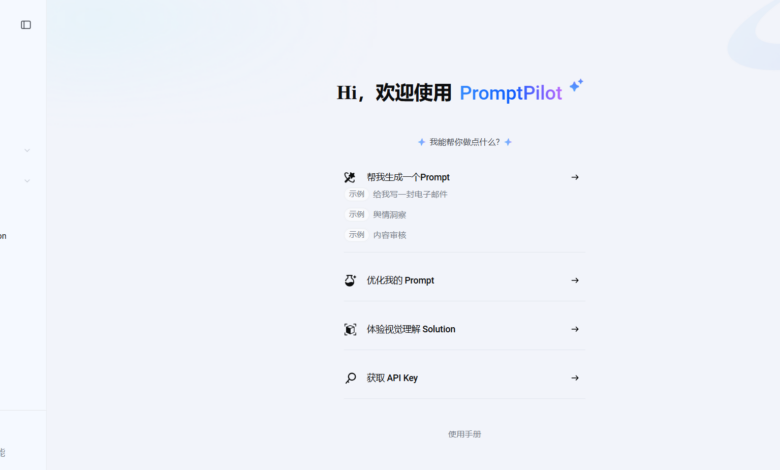
What is PromptPilot?
PromptPilot is an AI prompt word solution platform launched by Volcano Ark, which can optimize the input instructions (Prompt) of large language models. The platform uses intelligent algorithms to transform users’ task descriptions into efficient prompt solutions, and continuously iteratively optimizes them in practical applications. PromptPilot can improve the model’s understanding of complex tasks and output quality, and combines multi-step and multi-tool solutions to meet diverse application scenarios. PromptPilot can help users break through traditional tuning bottlenecks and achieve efficient processing from simple text to complex visual tasks. It is a key assistant to improve the efficiency of large model applications.
Main functions of PromptPilot
- Prompt generated: Automatically expand the user’s short task description into an initial prompt with a complete structure, suitable for various task scenarios such as text understanding, multi-round dialogue, and visual understanding.
- Prompt tuning: Provides one-click rewriting, feedback-based optimization and other functions to help users quickly adjust prompts and obtain more accurate model output.
- Solution Explore: Automatically explore multi-step, multi-tool solutions, especially suitable for complex visual tasks such as image recognition and analysis, and supports code deployment.
- Intelligent optimization: Combining user feedback and algorithm optimization of prompts, supporting scoring mode and GSB comparison mode to accurately improve prompt quality.
- Tool call and knowledge base: Support large models to call external tools or functions, and use domain knowledge bases to break through the limitations of pure language processing and improve the accuracy and practicality of answers.
- Model management and settings: Supports customizing models, adjusting model inference parameters, and provides free intelligent fine-tuning functions to further optimize model performance.
- Batch optimization and scoring: Supports batch generation of samples and AI intelligent scoring, helping users efficiently process large-scale data sets and improve overall optimization efficiency.
How to use PromptPilot
- access platform: Visit PromptPilot official website https://promptpilot.volcengine.com/, register or log in to use.
- Select entry module:
- There is an initial prompt: If the user already has a preliminary Prompt, directly enter the “Prompt Tuning” module.
- No initial prompt: If the user does not have a clear Prompt, start with the “Prompt Generation” module and enter the task description to generate the initial Prompt.
- Batch optimization requirements: For users who need batch optimization, select the “Prompt Batch” module.
- Enter task description or initial prompt:
- In the “Prompt generation” module, enter the task description (such as “Draft an email about marketing promotion”), and the system will automatically generate the initial prompt.
- In the “Prompt Tuning” module, enter the existing prompt and related variables (such as {{customer complaint}}, {{solution}}).
- Debugging and optimization:
- Rewrite with one click: If you are not satisfied with the generated prompt, use the AI one-click rewrite function.
- Optimize based on feedback: When you are not satisfied with the partial content of the prompt, enter specific feedback to guide the AI to perform targeted optimization.
- Enable tool invocation or knowledge base: If required by the task, enable external tool calls or domain knowledge bases to improve the accuracy and practicality of answers.
- Generate evaluation data set: For batch optimization tasks, the system will batch generate evaluation data sets based on seed samples for subsequent optimization.
- Optimize Prompt:
- Scoring mode: Score the model answer (1-5 points), and the system optimizes the prompt based on the scoring results.
- GSB comparison mode: Compare two answers and judge “better/equal/worse”, and the system adjusts the prompt based on the comparison results.
- Management and iteration: All tuning tasks and generated Prompt versions will be managed uniformly in the “PromptPilot Management” module. Users can view historical versions, compare effects and perform further optimization at any time.
- Deployment and application: The optimized Prompt can be directly applied to actual business scenarios, supports code deployment, and achieves efficient applications.
Usage examples of PromptPilot
Prompt generated
Draft emails in response to customer complaints and provide solutions.

Prompt tuning

Product Pricing for PromptPilot
- Personal free version: Give away 500 points every week and provide basic functions such as prompt generation, debugging, batch operations, etc., suitable for individual users who do not have high demand for points.
- Personal Standard Edition: 39.9 yuan per month, providing 39,900 points and 200MB knowledge base per month, supporting the purchase of additional points, expansion of the knowledge base, use of customized external models, etc., suitable for individual users who need more points and storage space.
- Team Edition: 239 yuan per month, provides 250,950 points per month, 1GB knowledge base, supports team collaboration functions such as multi-person collaborative editing and team permission allocation, suitable for enterprise users who require a large amount of points, storage space and team collaboration.
Application scenarios of PromptPilot
- Text generation and processing: Helps generate various text content, such as articles, copywriting, summaries, etc., to improve the efficiency and quality of content creation.
- Conversation and customer service: The platform can optimize the intelligent customer service system, provide a natural and smooth multi-round conversation experience, and improve the quality of customer service.
- Visual understanding and analysis: Combined with image recognition technology, analyze picture content, such as taking photos to solve problems, homework correction or license plate recognition, and expand the application boundaries.
- Complex task solutions: The platform can generate solutions containing multi-step and multi-tool calls to cope with complex business processes and task requirements.
- Development and technology application: Assists in code generation and optimization, and combines external tools and APIs to achieve technical development and data interaction.