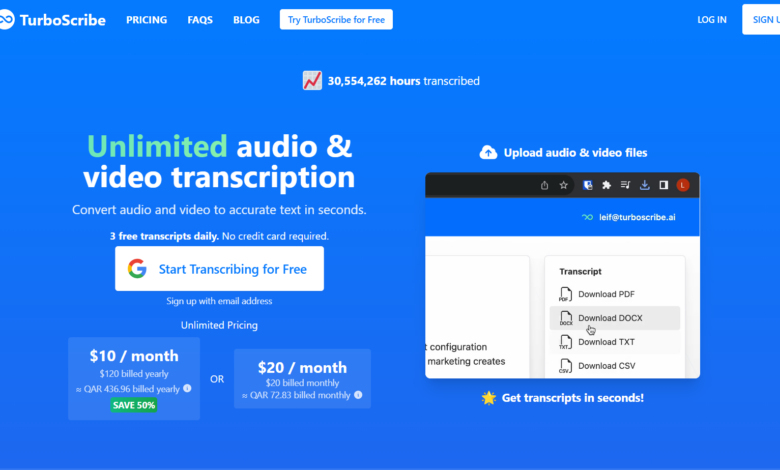
What is TurboScribe
TurboScribe is a powerful AI audio and video to text tool, specially designed for efficient processing of audio and video files. Using advanced Whisper technology, it can quickly convert voice content into text with an accuracy of up to 99.8%, supports more than 98 languages, and provides translation functions. TurboScribe can process files up to 5GB in size for up to 10 hours and can upload up to 50 files at a time, making it ideal for users with high-volume transcription needs.
TurboScribe’s main features
- High-precision transcription: Using Whisper technology, the transcription accuracy is as high as 99.8%, and it can efficiently handle audio with multiple accents and complex backgrounds.
- Multi-language support: Supports transcription in more than 98 languages and provides translation functions in more than 134 languages to meet different language needs.
- Large file processing: Supports files up to 10 hours long and 5GB in size, and can upload 50 files at a time, suitable for large-scale transcription needs.
- Flexible export: Transcription results can be exported to PDF, DOCX, TXT, SRT/VTT and other formats for subsequent use.
- speaker identification: Able to distinguish different speakers, suitable for multi-speaker scenarios such as meetings and interviews.
- Security and privacy: All data is encrypted to ensure the security of user information.
- Efficient and convenient: The transcription process is fast and completed within a few minutes, greatly improving work efficiency.
- High cost performance: Provides a free trial plan, and the paid version is reasonably priced and suitable for all types of users.
How to use TurboScribe
- create Account: Visit TurboScribe’s official website https://turboscribe.ai/, register and create a personal account.
- Upload files: After logging in, select the audio or video file that needs to be transcribed and upload it. Multiple formats are supported.
- Select language: Select the appropriate language based on the file content to ensure the accuracy of transcription.
- initiate transcription: After the upload is completed, click the “Start Transcription” button and the system will automatically process it.
- Edit text: After the transcription is completed, the text can be edited and proofread on the platform.
- Export results: After editing is completed, select the required format (such as PDF, DOCX, etc.) to export the transcribed text.
- Manage files: Historical transcription records can be viewed in the account for easy management and reuse.
Who is TurboScribe suitable for?
- content creator: Used to quickly transcribe audio content such as podcasts and video interviews into text for easy editing and publishing.
- researcher: Help organize audio data such as interviews and experimental records to improve research efficiency.
- reporter: Quickly convert interview recordings into text to shorten press release production time.
- student: Used to record and organize audio content such as classroom lectures and academic conferences for easy review.
- Corporate Professionals: Used for organizing meeting records and training materials to improve work efficiency.
- Self-media operator: Quickly transcribe video scripts into text for social media publishing.