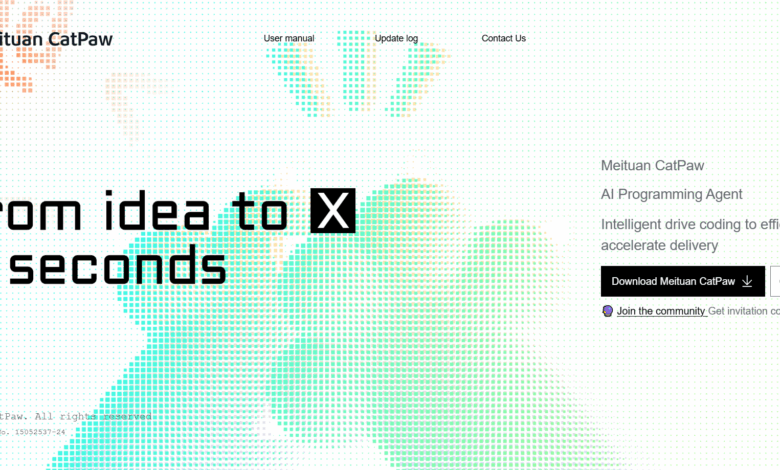
What is CatPaw
CatPaw is launched by Meituan YOU HAVE IDEAS Programming tools allow developers to focus on creative implementation and improve project delivery efficiency. CatPaw has core functions such as code completion, quick Q&A code generation, built-in preview debugging, and project dimension analysis, and supports mainstream programming languages such as Python, Java, and JavaScript. CatPaw is compatible with macOS 10.15 and above, and a Windows version is under development. CatPaw allows developers to focus on creative realization and accelerates project delivery, making it an intelligent programming partner for developers.
Main features of CatPaw
- Code completion (Tab): Provide real-time code suggestions during the coding process to help developers quickly complete code writing.
- Quick Q&A (Agent): As a powerful AI assistant, it supports answering code questions and generating code snippets directly in the IDE without switching tools.
- Built-in preview debugging (Browser): Supports instant preview and debugging of front-end code, and can directly send elements that need optimization to the AI dialogue for intelligent modification.
- Project dimension analysis (Codebase): Through code base indexing technology, the AI assistant can understand the context of the entire project and provide more accurate intelligent suggestions.
How to use CatPaw
- Download and install:
- Visit the CatPaw official website https://catpaw.meituan.com/ to download the installation package for the applicable operating system.
- Double click to download
.dmgFile (for macOS) Follow the instructions of the installation wizard and drag the application into the Applications folder to complete the installation.

- First startup configuration:
- Start setting up: When starting CatPaw for the first time, click the “Start” button to start the initial configuration process.

-
- Choose an interface theme: Choose an appropriate interface theme based on your usage habits.

-
- Import existing configuration (optional): If you have used other IDEs before (such as VS Code, Cursor, Windsurfing etc.), choose to import relevant configuration information, and can seamlessly migrate to CatPaw.

- Registration and login: Register an account with your mobile phone number or email. After logging in, you can get an initial free quota of 500 conversations.
- Code completion (Tab): When entering code, press the Tab key to select completion suggestions to quickly complete the code.
- Quick Q&A (Agent): Enter a question in the dialog box, and AI will generate code snippets or answers.
- Built-in preview debugging (Browser): Click the preview button to view the effect of the front-end code and modify elements directly.
- Project dimension analysis (Codebase): After opening the project, AI automatically analyzes the context and provides precise suggestions.
- Management quota: Check the limit on the settings page and submit a recharge application when the limit is insufficient.
- Other functions: Use sidebar conversations, shortcut keys, etc. to improve efficiency, and customize the Agent to meet individual needs.
System requirements and supported languages for CatPaw
- System compatibility:
- macOS: Supports versions 10.15 and above, including x64 and arm64 architectures.
- Windows: The x64 version is under development and will be released soon.
- Supported programming languages: Meituan CatPaw fully supports the mainstream programming language ecosystem, including but not limited to Python, C++, Java, JavaScript, TypeScript, Go, Rust, etc., and can meet the needs of various development scenarios.
CatPaw Product Pricing
CatPaw is completely free at this stage. Each new user will receive 500 conversation quotas after registration, and each interactive conversation with AI consumes 1 quota.
If the quota is used up, the user submits a recharge application on the settings page, fills in the application reasons and then submits for review. After passing the review, the user can continue to use it.
CatPaw application scenarios
- Code writing and debugging: Quickly generate code snippets, automatically complete codes, improve development efficiency, and are suitable for rapid development and solving complex programming problems.
- Front-end development: Use the built-in preview function to instantly view the effect of the front-end code, directly modify page elements, and optimize the front-end development process.
- Project optimization: Based on project dimension analysis, provide accurate code suggestions to help developers optimize existing code or reconstruct projects.
- Novice learning: Provide code explanations and examples for beginners to help understand programming concepts and language features, and accelerate the learning process.
- Teamwork: In team development, quickly generate code templates or solve common problems to improve the overall development efficiency of the team.